The “config” (alias “cfg”) command
This command allows to change configuration settings, that are used by other commands.
Some of the commands (merge, log,
conflicts and aggregate) also use
central data store (located in ~/.svn-buddy/config.json file) to store information about
a working copy.
If nothing is stored for a given working copy, then a global default would be used.
If global default is missing, then built-in default would be used.
Both working copy and global settings are configurable.
The association between setting values and a working copy is done using working copy url. Such approach allows to preserve setting values, when working copy is moved to different location on disk.
Arguments
path- Working copy path [default:.]
Options
-s,--show=SETTING- Shows only given (instead of all) setting value
-e,--edit=SETTING- Change setting value in the Interactive Editor
-d,--delete=SETTING- Delete setting
-g,--global- Operate on global instead of working copy-specific settings
Examples
Feel free to add --global option to any of examples below to operate on global settings instead of working copy ones.
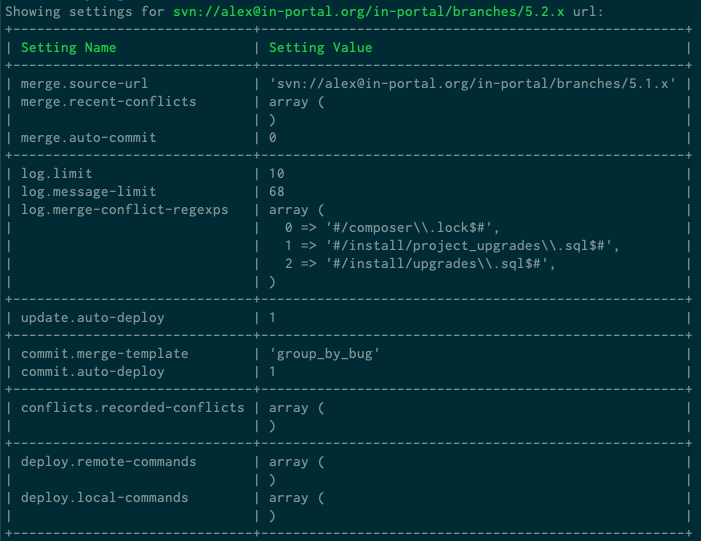
svn-buddy.phar config
Shows values of all settings in current working copy grouped by a command:
svn-buddy.phar config --show merge.source-url
Shows value of a merge.source-url setting:

svn-buddy.phar config --edit merge.source-url
Change value of a merge.source-url setting using interactive editor.
svn-buddy.phar config --delete merge.source-url
Delete a merge.source-url setting.